

The big news this month is the release of the App Centre for customers on the Concur EU data centre, but there are many other updates and improvements available this month including ways to improve your tax reporting, train usability improvements and new satisfaction ratings for Travel.
Improve Tax Reporting By Adding New Fields to Your SAE
Custom fields are newly available to be added to the SAE file to help improve your tax reporting. Custom fields 1-10 for entry tax can be added to the detail section of the SAE; this will improve the data that is being sent to your ERP system to provide better reporting and insight into the tax data in your expense spend. If you want to include these field in the SAE, you will need to log a support case with Concur for the SAE to be updated.
Usability Improvements Across Train Travel
If you have Train travel booking available in Concur, there are a number of updates across various train companies. If you book multiple traveller tickets with SCNF, improvements released this month will make it clearer to see the prices as applied to each traveller, and so also apply any different discounts or rates to each traveller; additionally, the trip companion information will now auto-populate in the booking when the second traveller is added. Both of these new features are auto-activated if you have SCNF active in your Concur instance. For UK Trainline users, the previously announced lowest price fare options is now released. This will help cost-conscious travellers to quickly and easily chose the fare at the lowest price point by using the new results search filter option.
Checking Employee Satisfaction
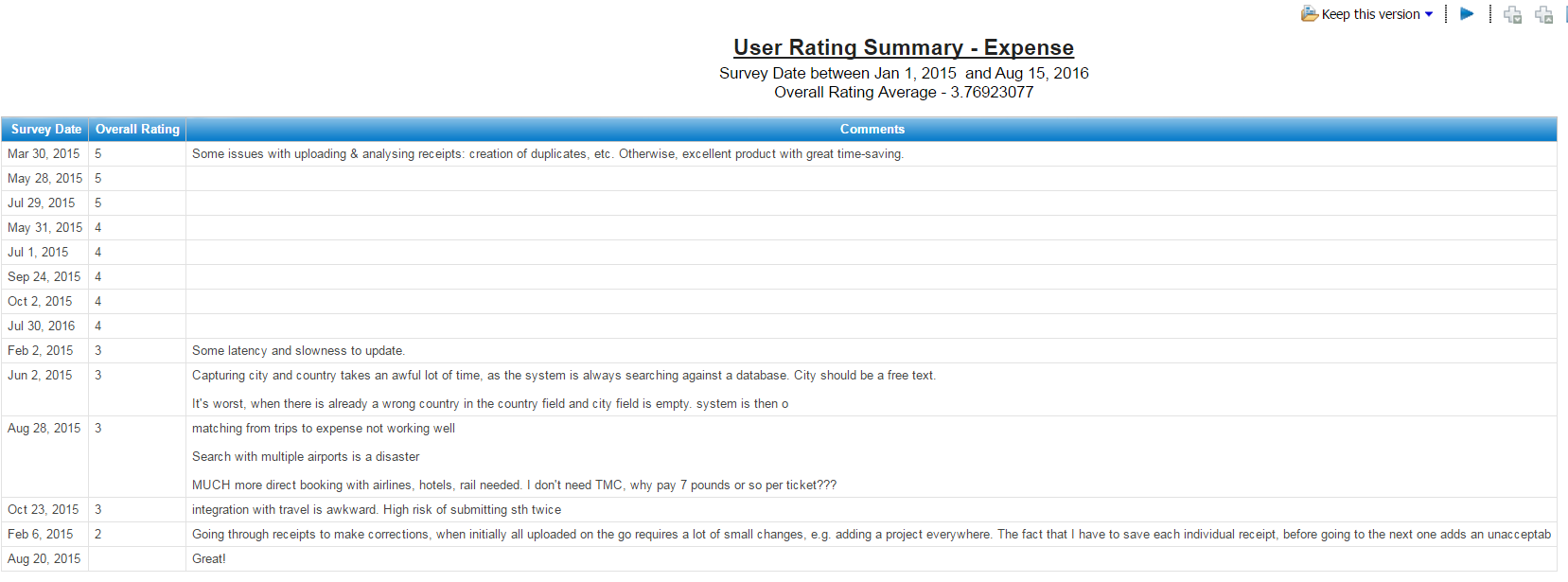
New satisfaction questions will now appear in Travel, as they already do for Expense, and the question will only appear for your users once every 30 days. Response are useful to Concur and benefit all Concur users as they help shape the product; as such it is good to encourage your users to participate if they can — responding is always optional anyway. And if you want to keep on top of how your users are feeling about Concur, then you can run the User Rating Summary reports for Travel and Expense in the Administration reports folder in Analysis/Intelligence reporting.
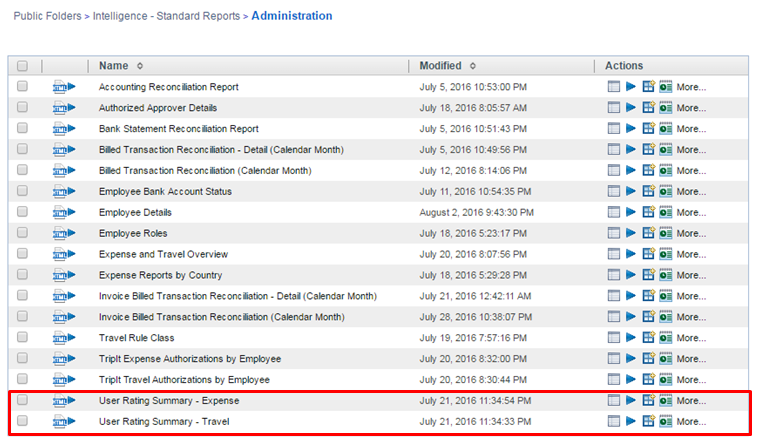
The response are anonymous and a great way of seeing employee feedback about Concur including issues that might not have reached your Concur administrators.
New Report Versions for Language Availability
The first reports that have been created to manage the new language availabilities have been announced this months, and these are:
Analysis Reporting
- Audit > Report Header Exceptions
- Compliance > Attendee Details
- Compliance > Attendee Summary
- Finance > Expense Report Totals
- Spending > Top Spend by Vendor
- Spending > Top Spenders by Employee
- Spending > Top Spenders by Expense Type
Intelligence Reporting
- Audit > Report Header Exceptions
- Finance > Expense Report Totals
- Spending > Top Spend by Vendor
- Spending > Top Spenders by Employee
- Spending > Top Spenders by Expense Type
If you have any scheduled jobs set up to use any of the above reports, do not forget to update the scheduled job to the new report version!
If you would like some help to maximise the value you get from Concur Travel and Expense then get in touch with us today

