

Reporting belongs to the platform features that SuccessFactors pre delivers. It doesn’t matter which module you subscribe to, the Org Chart, Welcome Page with Tiles, Employee Profile and Reporting and Admin Tools will be in it. Depending on the module, you will also get some ad hoc standard reports and dashboards (1.0 or 2.0). You can find the standard reports under Reports => Dashboards or Analytics. Standard Reports under the Analytics Tab are in Reporting Center, and some you can find them on the left under Ad Hoc Reports (remember its still depends on the module and your role).
Standard & Ad Hoc Reporting requires Standard Implementation
Standard Reports & Dashboards will work well if you follow the standard implementation. If you don’t use the standard fields, which are used in the standard reports or dashboards, they won’t work anymore and you can’t change the reports or dashboards. So it is important to consider the reporting requirements before you implement a module, because in some cases you could end up spending a lot of time and effort to create your own reports. SuccessFactors is a standard software, which supplies a best practice process as well as a nice and easy way to use it. I would suggest you think about your process and reports and have a look of the best practice SuccessFactors provides, and see how you can match both to get the best out of the SuccessFactors BizX Suite.
Functionality & Features of Ad Hoc Reporting in SuccessFactors
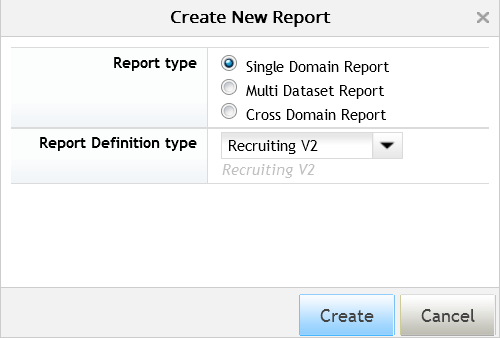
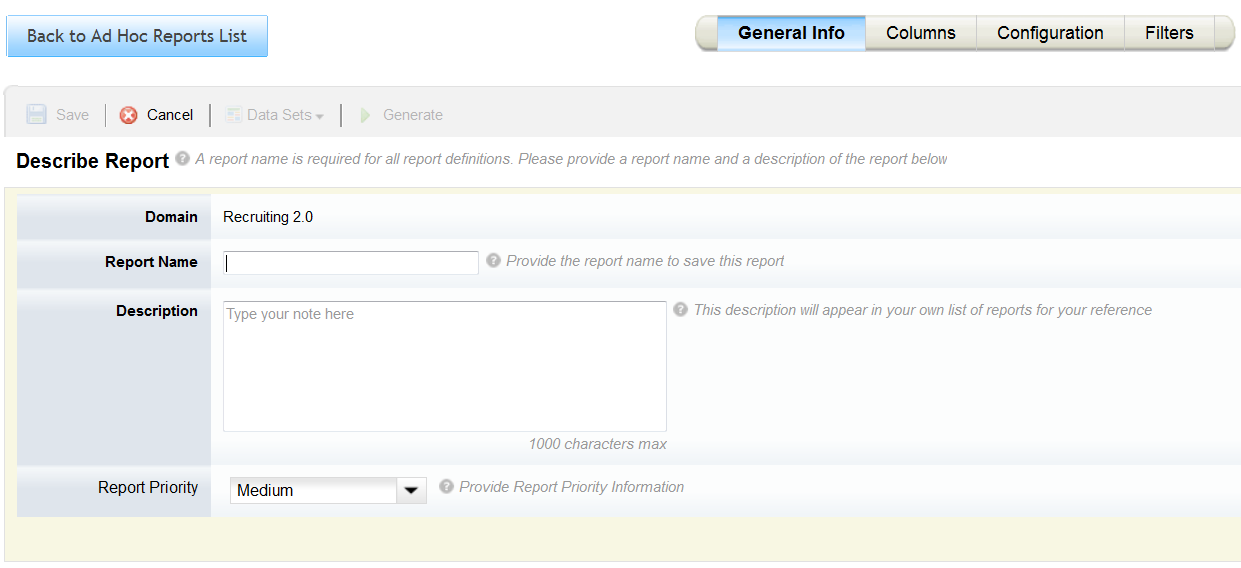
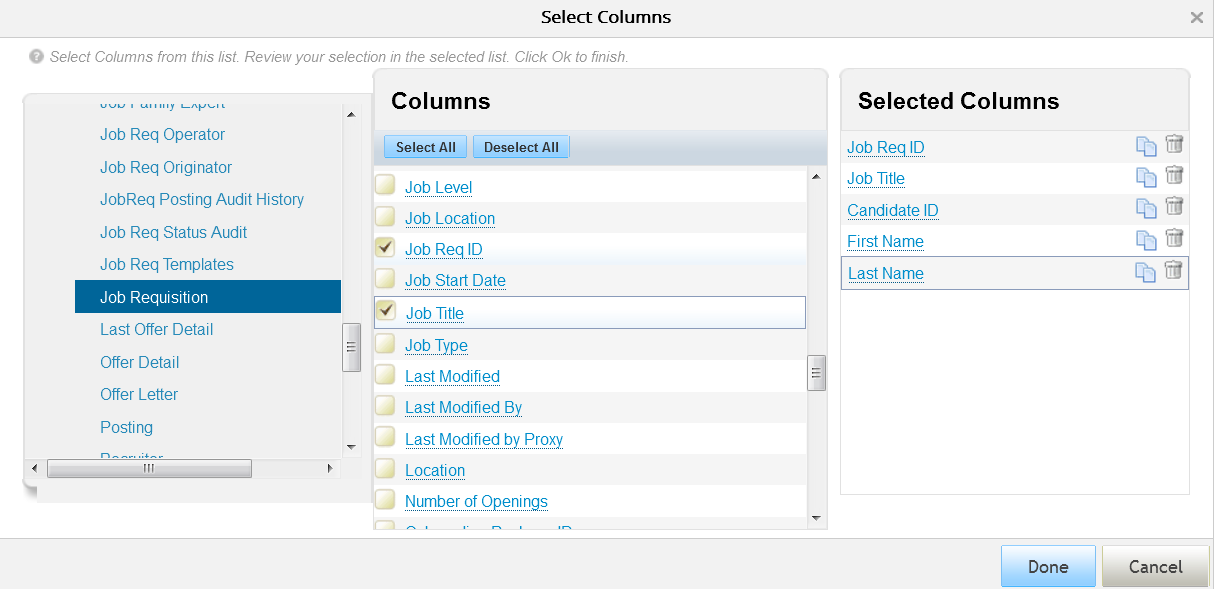
In SuccessFactors you have the possibilities to build your own ad hoc reporting right away. You don’t need to set up a BI system, nor need to configure anything in the Instance or Provisioning. The HR Cloud System provides you with different domains (similiar to a Data base schema) which contains different tables for a module or „topic“ (for example Recruiting, Compensation Planning, Foundation Objects, …). You can create an ad hoc report either within one dimension (Single Domain Report), more than one Data Set (Multi Dataset Report) or match different Domains (). For some domains there is also a secure layer domain available. Some of the things you can do with your ad hoc reporting include:
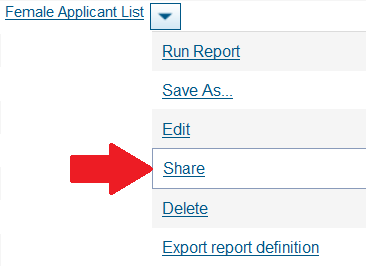
- Sharing a Report with a colleague or a group of people
- Control via RBP (Role Based Permissions): who can see, run and create ad hoc reports
- Prioritise your reports (don’t have a huge impact to the performance)
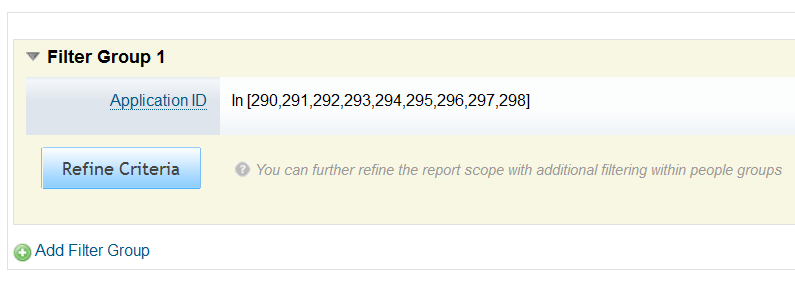
- Group by and filter options
- Define a target group (depends on the domain)

Pros & Cons of Ad Hoc Reporting in SuccessFactors
As with all things, Ad Hoc Reporting in SuccessFactors has its pros and cons. If you need a simple list of data your will get all what you need with ad hoc reporting. For other Reports, you may think about another solution or opportunity to fulfil your reporting requirements. But before we come to other solutions in the next parts of our article series (whether if its in SuccessFactors or not) lets have a look to pros & cons of ad hoc reporting:
Advantages
+ Real-time reporting – no data replication required
+ Part of platform
+ No additional cost
+ Available for all SuccessFactors modules
Disadvantages
– Limited capabilities to report on MDF objects
– Limited capabilities to report on Effective dated information
– Limited cross domain reporting
To give you more insights about the limits of ad hoc reporting: if you implement a module in SuccessFactors you use standard and customer fields. Standard fields are always reportable and most of the custom fields you can make reportable. In some special cases like Employee Central the data structure with the Meta Data Framwork (MDF) is more dynamic and complex. That’s why they have a special reporting for it called „Advanced Reporting“, and the Online Report Designer (ORD) and Workforce Analytics works with it.
At the moment not all modules (called domains in reporting) are available for cross domain reporting yet (Last Updated February 2015). You can work with following modules in cross domain reporting:
| Module | Cross Domain? |
| Calibration | Yes |
| Compensation | Yes |
| Employee Profile | Yes |
| Goal Management | Yes |
| Learning | No |
| Performance | Yes |
| Recruiting | No |
| Succession | Yes |
| Variable Pay | Yes |
Conclusion / Summarising of Standard & Ad Hoc Reporting in SuccessFactors
It is good to know that there are standard reports in SuccessFactors so you don’t need to start from scratch. On the other hand your are not really flexible with these standard reports, because you can’t edit or change them. That’s why ad hoc reporting is so valuable: if you need a working list, basic data of employees, your business or processes you can get it live and directly from the system. It couldn’t be easier, but it is perhaps nothing you want to provide managers with, as the data are not nicely visualised. You are also limited on some advanced reporting requirements, as I mentioned above.
Standard & Ad Hoc Reporting are not big science. I personally think there is not that much to talk about, but it is important for customers to understand what they can do and where they may need other reporting tools. I look forward to presenting you more exciting stuff with the YouCalc Dashboard Builder, BIRT, Online Report Designer (ORD) and Workforce Analutics (WFA) in the next articles.
This Article is part of a series in „HR Reporting and Analytics in SuccessFactors“
- HR Reporting and Analytics in SuccessFactors – Part 1
- Standard & Ad Hoc Reporting in SuccessFactors – Part 2
- Visual Reporting with Dashboard 2.0 Reports in SuccessFactors – Part 3
- Visual Reporting with BIRT Templates in SuccessFactors – Part 4
- Advanced Reporting & Online Report Designer in SuccessFactors – Part 5
- Workforce Analytics Module in SuccessFatorcs – Part 6
SuccessFactors Training and Demo
You still don’t have enough and want to learn more? We offer various SuccessFactor Reporting Trainings. If you have bespoke training needs, the packages can be adjusted accordingly. Just ask – we are happy to help. Same counts for a SuccessFactors Demo. Accordingly to your requirements we prepare a SF Demo to show how things work and what options you have.


Hi Chris,
Thanks for putting this information together. I was wondering if you can create calculations during the ad hoc report build? Example: Simple addition or subtraction of two columns etc.
Thanks for your support.
That is not possible. For this function you need to use BIRT, YouCalc or ORD. If you want to do smaller things I would do it with ORD even if the Performance and Usability is not the best.
Hi Chris,
How do we filter an ad-hoc report for Recruitment -candidate pipeline status with an effective date ? Eg Candidate Pipeline status report as of 1st June . By default the system picks up todays date when I run it but I would like to run it for a specific effective date . Where do I set the filter ?
Thank you
Segar
There is no effective date. The only module, which works with effective date data is employee Central. If you want to measure delta or a progess I would recommand using a scheduled report (daily or weekly?) and work with this in another tool… Maybe there are other work arounds, but there is no effectie date in most of the modules.
After creating an Ad-Hoc report as proof of concept is there a way of using this as a scheduled report
Yes, but at the moment you still need to Schedule this Ad-Hoc Report via a Partner in Provisioning. With the Q2 Release 2017 it will change if you have activated the new Report Center (a consolidated place to show all different kind of Reports). You will be able to schedule a report by yourself.
I talked about it in this article
I’m new to ad hoc reporting so please excuse my knowledge, my guestion is does ad hoc reporting convert data into analytics? Graphs, charts?
Thank you!
Hey Vivian,
No worries! We all started at one point. Ad Hoc Reports don’t convert data directly into charts, but it is the Data basement for different Tools to do so… With a Tool call BIRT you can enhance a Ad-Hoc Report and build some Graphs and Chart out of it. Insteadt of seeing the Ad-Hoc Report you would see charts & Co (see Part 3 of the Series). You also Can build Dashboards based on a Ad-Hoc Report with the Tool YouCalc Dashboard (see Part 4)….
Hope this helps!
Chris
Hi Chris,
Very informative article! Can you advise me if it is possible to report on custom fields within a custom Portlet using the standard Ad Hoc Reports?
Thank you
Ashlin
It depends.. With EC you would probably use ORD. Some modules require to make custom fields reportable in Provisioning. MDF Objects are always nie to report to in ORD, but at the end I don’t know all modules good enough to give you an answer.
Hi Chris,
I have created a report in ORD in the DEMO instance and want to share the report only to a specific user. Even I did the sharing by assigning the particular user for the ORD report that I have created. But still the other users are able to view the report. Can you please guide me how to control it.
Regards,
Jacob
Hi Chris,
do we have any document to create or how to work with WORK FORCE Analytics tool
There is a course in the Learning Hub. I just did my Certification last week. Will prepare the article for WFA soon.
Hi,
I have created a multi domain report with „Development Objective“ as 1 domain & „Performance Management“ as 2nd domain and saved the report. I have filled all the fields necessary, but still I’m not getting „Generate“ button activated and if I preview the report, it is shoeing in two different tabs. Is there any way to merge these reports into one single report…? Please clarify me on this two points.
Best regards,
Durga Siva Prasad
Hey Durga,
in general ad-hoc has limits in „joining“ (SQL) to other data schemas. That is fixed with ORD. For you specific problem I would need to have a look. Matching Data is also possible with BIRT, ORD and YouCalc.
Kind Regards,
Chris
Hello Chris,
Thanks for the valuable article.
Can i know how SAP data will be available to ORD ?
Thanks
Madhu
You can add your SAP Data in WFA, which is able to collect Data from several modules / systems. ORD has the same Data Base like ad hoc Reports, just more features to use =)
Thank you so much for your response. We have implemented ORD and its a little buggy so we raised a ticket but in the interim, we have some requirements to merge EC data with Performance. Now when I select Cross Domain, the EC reporting definitions are not listed in the drop down. Only Employee Profile and Talent Modules. I would like to select Reporting Definition „Person and Employment Info (as of Date)“ or „Job Information (Date Range)“ to merge with Performance. Can you please advise the settings to enable this? Thank you in advance :)
That is a really specific question, where I would need to have a closer look to the setting in the Instance. I am sorry but I can’t answer it here… Its also related to the ORD, which I will write about soon. Keep checking when the next article goes online =)
Hi Chris,
I just need to confirm something, what could be the possible reasons an adhoc report would not show data after you run it? The reports run successfully but does not yield any employee data
Regards
Kabo
Hey Kabo,
I am sorry I can’t answer this question from here… Could be tons of things…
– You have a Filter?
– You use a Field, which are not available?
– You Aggregate Data or you have a simple ad-hoc Report…
I am not aware of buggy Instance-Errors, where the data schemas didn’t work. They are normally pretty stable, but basic, to be honest…
Hi Chris,
I loved this article – very helpful. May I ask you the following:
1. Does ORD work across any module? We use it for Employee Central but I want to know whether it can be used across Performance, Recruitment etc.
2. Do you need any kind of coding skills to design reports in BIRT? Sure, I understand to use BIRT a person will need training but I’m wondering how technically skilled someone needs to be to receive that training.
Many thanks
Richard
Hey Richard,
thanks for feedback. To answer your questions:
1. Yes you can use ORD for all modules. Its free as it is delivered within the SF Plattform.
2. If you want to do fency stuff HTML, CSS and JSS skills are required. Basic things can be really easy, but as most of the things are: As more complex the requirements, as more knowledge / training you need… We can provide some basic training if you need it.
More information about BIRT
Hi Chris, your articles are so informative and very helpful. Is there a way to cross domain and merge EC data and Performance data onto one worksheet? When I add these 2 domains, they put the information on separate worksheets. E.g. I need to add performance rating on personal and employment info report.
Hey Dina,
Yes you can with „Cross Domain“ Ad Hoc Reports. No different Worksheets – all in one. I would also recommand to have a look at the Online Report Designer (ORD) to solve that:
http://help.sap.com/hr_analytics/
Kind Regards,
Chris