

Welcome to February’s round up of our most liked updates released by Concur this month, across both Professional and Standard Editions, including announcements for Triplink EMEA, new Credit Card default settings and the new Concur Admin kits released to help support all new and old Concur admins alike.
The most interesting part of this month’s new releases, is the announcement of TripLink EMEA. The EMEA rollout is starting with France and Germany, and hopefully further countries will quickly follow. TripLink is great tool to ensure that all of your company’s travel and expenses are visible and accountable even when they are not booked within Concur itself. There are lots of direct supplier connections, so the account I have for Airbnb say, can be linked to my Concur profile and then for any bookings I make through Airbnb my booking data flows directly into Concur making the travel and expense data available for one single itinerary for all my travel elements, and most usefully: the data is fully visible and reportable within Concur. Or I can just forward any hotel and travel confirmation emails to plans@Concur.com if there is not direct supplier connection available for that particular vendor. Employees will always have reasons why their travel or hotel was booked directly with the vendor (sometimes valid ones!), and TripLink can bridge this gap in the T&E process. Fingers crossed for more country rollouts for EMEA soon!
And for those of you who do have TripLink and TripIt already, some of the screens in Tripit like the logon page and the team calendar view, have been updated and I think are looking a lot sleeker. The recent integration with the Rome2Rio app also saves users extra clicks to check their options to close gaps in the itinerary, e.g. from an airport to the hotel.
Specify Cards for Different Travel Types
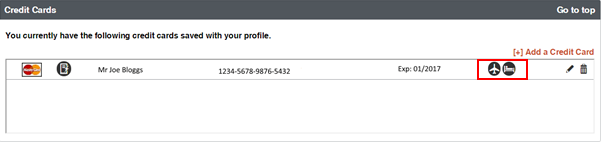
A new default setting for your travellers to have a default credit card set for travel types and hotel bookings is introduced this month. In each user profile, credit card information is saved with icons for which type of booking the card is the default option for. When your users add their credit cards, they can choose which card to default for which expense type.
Here our employee has this card set as default for his air and hotel bookings:
Enabling the setting could be useful to support a corporate card programme, or your travellers may prefer certain expense types to go on certain cards and this is an easy setting to achieve this with. The setting is released set to ‚off‘, but if you do enable the check, this could trip up any travellers who do not have a card defaulted once they try to book any rail or air travel. They will have an error and will not be able to book their travel without going back and setting up a default card, then going through their travel selection again. So if you are going to make use of this new check, don’t forget to inform your users to update their profiles in Concur! (an easy way to do this is to use the company notes section on the Concur front page to ensure that as many of your users see the notification as possible).
Book a Hotel near your Company Office Locations
There are differences between the Concur site and the mobile app, and improvements and changes are being added all the time. When you think about how your users are going to be using Concur, it is an important point, whether you are expecting heavy mobile usage. A great change released this month on mobile are hotel searches that can use your office locations to find the nearest hotel . I think this is a great feature, which really cuts down the effort and time in making a good hotel choice.
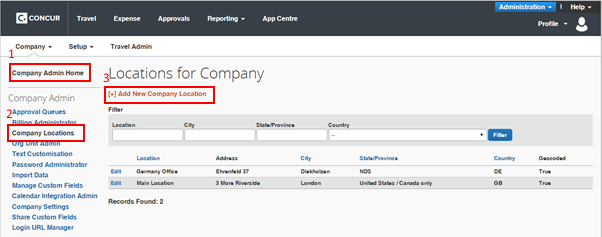
Hopefully your company’s Concur admins have an up to date list of office locations in Concur for you to use already.
(If not; they just need to go the Company Admin menu, choose office locations and enter the necessary locations for individual locations or import a file with the tools available for a large number of locations)
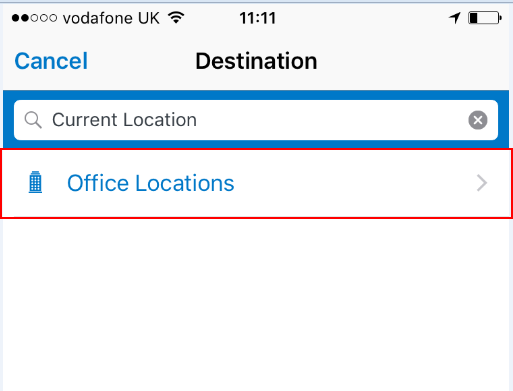
When booking your hotel stay on the app, on the destination screen the option for you company location can be chosen;
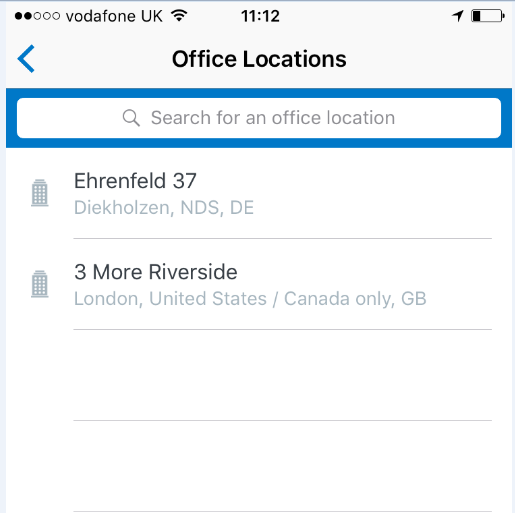
Each office location is listed, chose the office location necessary;
Search, and hen all hotels within policy, are shown using the office location as a locator;
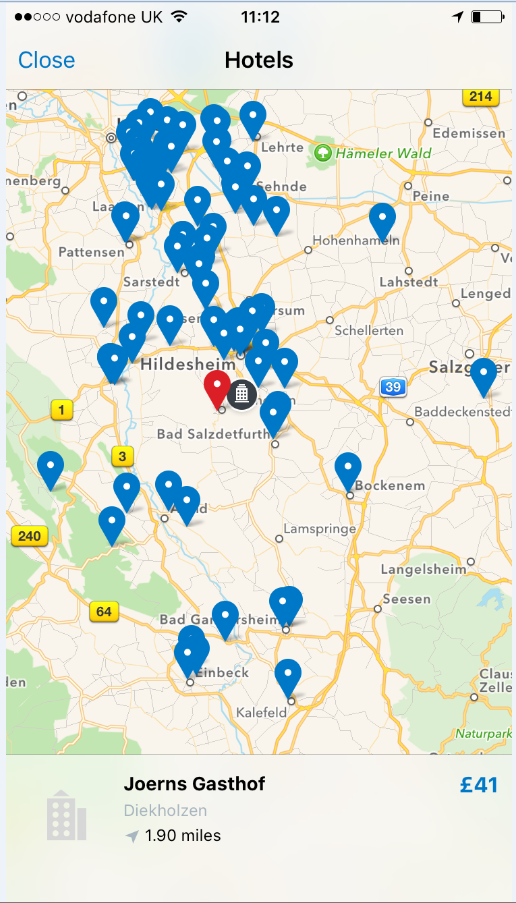
(You can use filters to narrow down your results, including a specific distance form the office location).
This little feature is only the start. Expect significant increases in mobile scope to come to a Concur app near to you soon.
And lastly, Concur have released New Admin Kits to help your companies‘ Concur administrators. The kits are fantastically comprehensive, with links to all aspects of Concur and a wealth of training documentation, videos and guides for each module and functions, and I am sure that there is something new to learn for all Concur Admins. There is even a template to help you with knowledge transfer from one administrator to another (check out the link of the bottom of page 4 of the guide). Did you know aside from technical guides in using Concur, there are rollout guides to help you tailor your Concur implementation rollout to be bespoke to your company? You will know your users and T&E policies best, but any new tool, any tips and tricks specific for that implementation can be useful, including demonstration checklists and training suggestions to help to ensure that you cover all the functionality that your users need to know to get the best out of your Concur.
If you are looking to improve your T&E processes, contact us today to see how Concur can streamline Travel and Expenses for your company.

