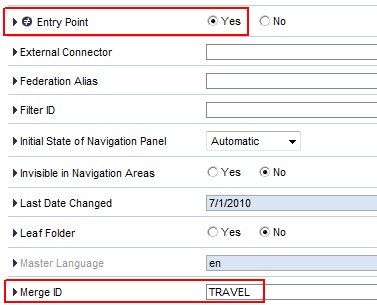
In the portal, several portal roles can be combined in one menu item to provide different types of employees different links under the same menu item. For this purpose multiple roles can be merged. This is particularly interesting when the menu is determined by the portal role and not by the homepage framework.
For example, all employees get the link to maintain their travel expenses. But only the PAs additionally get the link to change the personnel number.
If you don’t want to maintain the same iView twice – in two portal roles – you can add the travel expense link to one role and the personnel number change to another role. For merging the two roles you have to assign any common merge ID. This is entered at the level of the entry point. The entry point might be at the role itself or at a folder or a workset.