

Beware the „Add Another“ button on Receipt Viewer images: expenses in Concur should have receipt images, but adding an image twice to a claim does not make the expense paid twice! Images can accidentally be added at the expense header level, in addition to the expense entry, causing duplication on your receipt reports.
Using the Concur mobile app, when capturing an image for later expense entry, you may accidentally attach it to the header of the claim.
The expense image is captured using the receipt button on the mobile app
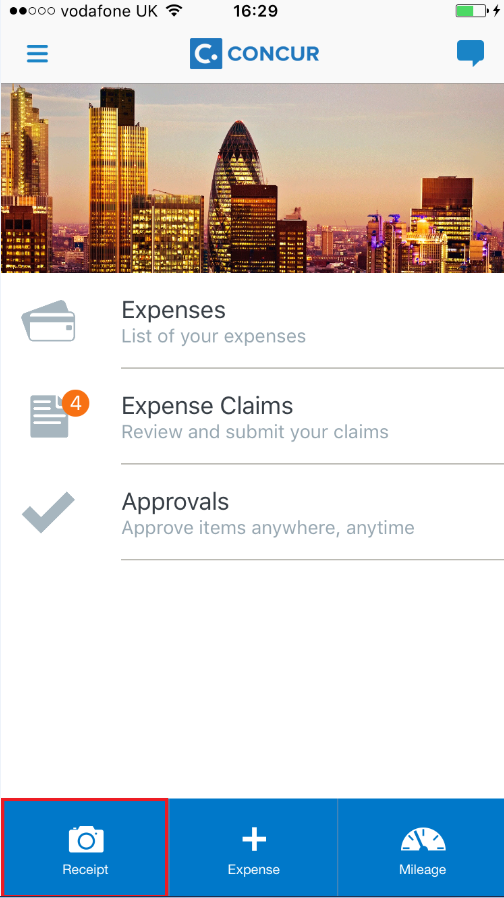
Then when ready to complete the expense entry, open your expense claim in the app:

Clicking on the view receipt buttons shows the images available for expense entry but also has a button to ‚Add Another‘:
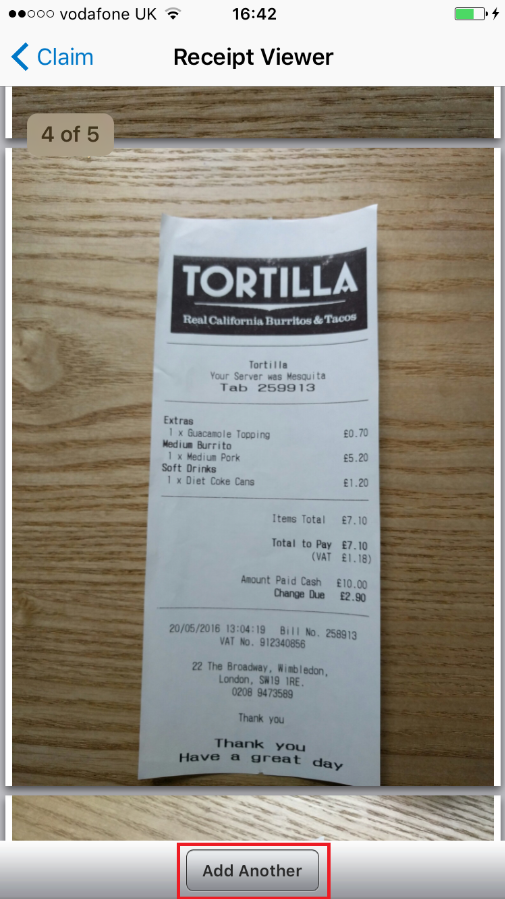
Choosing this button will then capture an image, but attaches it to the header level of the expense claim. Then when going back through the claim it looks like the image has not been captured, and so I try to capture the image again and expense the entry. This is where the image then ends up on both the claim header and the expense entry.
The images attached to the claim header can be removed in the desktop screen; in the expense claim under the under the receipt menu, chose ‚Delete Receipt Images‘:
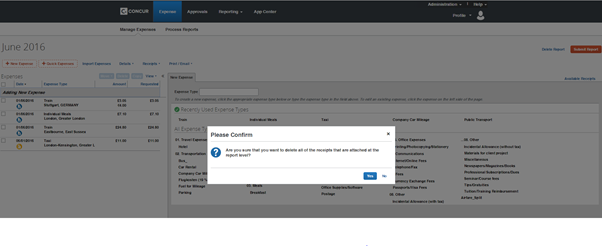
And if you want to ensure that your users do not accidentally assign images to the header level of their claim, then you can uncheck the option in the configuration fro receipt handling if you have the permissions to do so. In the Expense configuration menu, chose Receipt Handling configuration and ensure that the last column options ‚Allow Images on Report?‘ is unchecked.
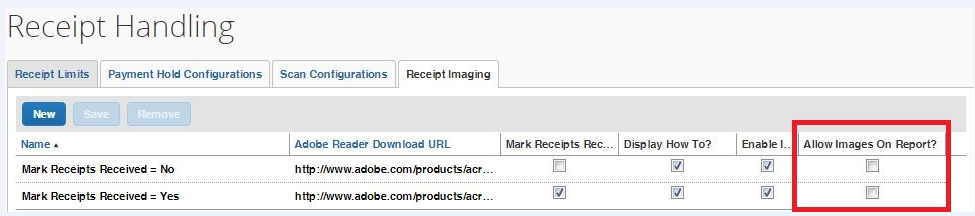
However; we have unchecked the configuration option as shown here, but found that the ‚Add Another‘ button still shows in the Concur app sometimes. So; if you want to try turning off the configuration for images to be added to the claim header, beware that the configuration option is somewhat unreliable.

