

Despite the wet start to ’summer‘, at least this June brings enhancements released by Concur across the Travel and Expense solutions which should make your travellers lives easier, these include adding attendees to expenses on the mobile app, a new payment type, train travel usability improvements and more.
Add an Attendee from your Meeting Appointment
A new feature is adding your meeting attendees to an expense from the calendar on your phone. You can already do this from the desktop Concur by adding the receipts@concur.com address to the meeting appointment in your Outlook calendar, and now you can pick up attendees through the app as well. The expense is captured in the app as usual, choose attendees to add and you are now have the options to add from calendar, contacts, manually or search.
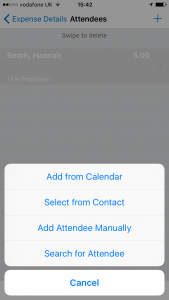
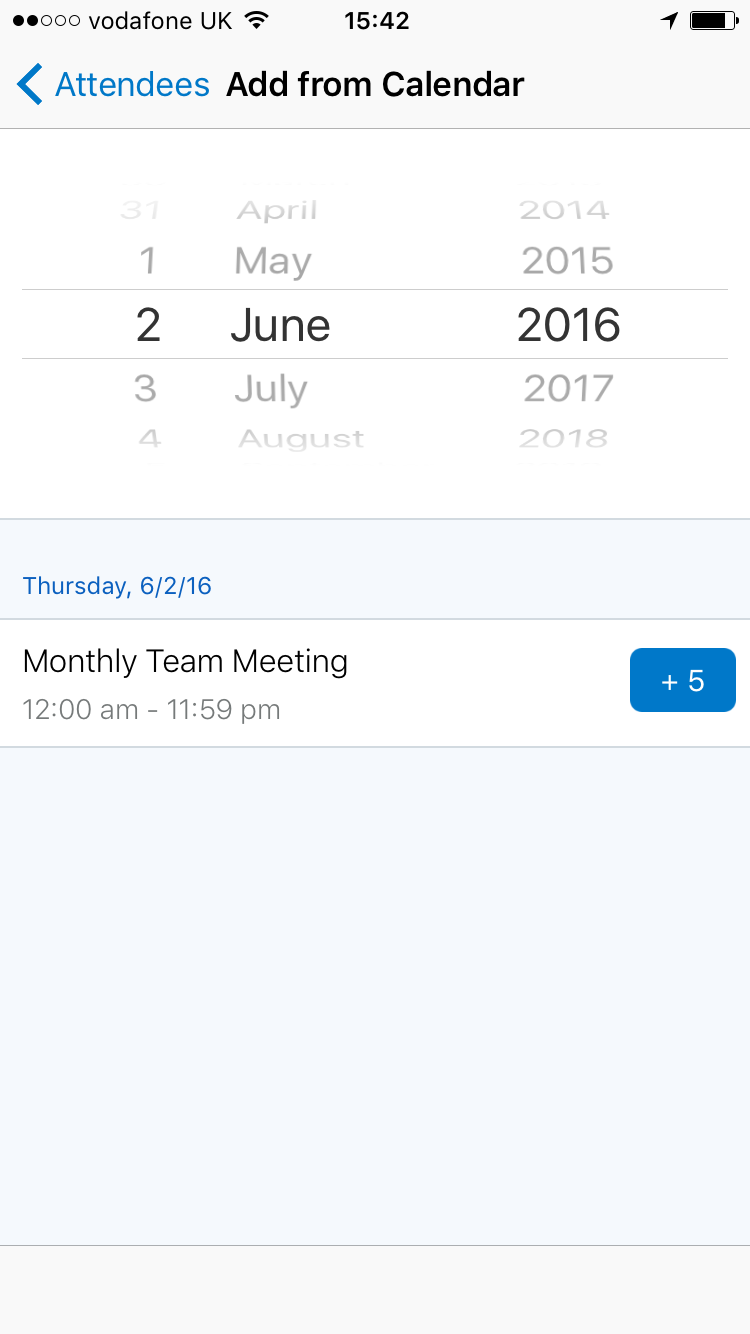
When you chose to add from your calendar; you simply search for the meeting date and then select the appropriate meeting and the attendees are added onto the expense.
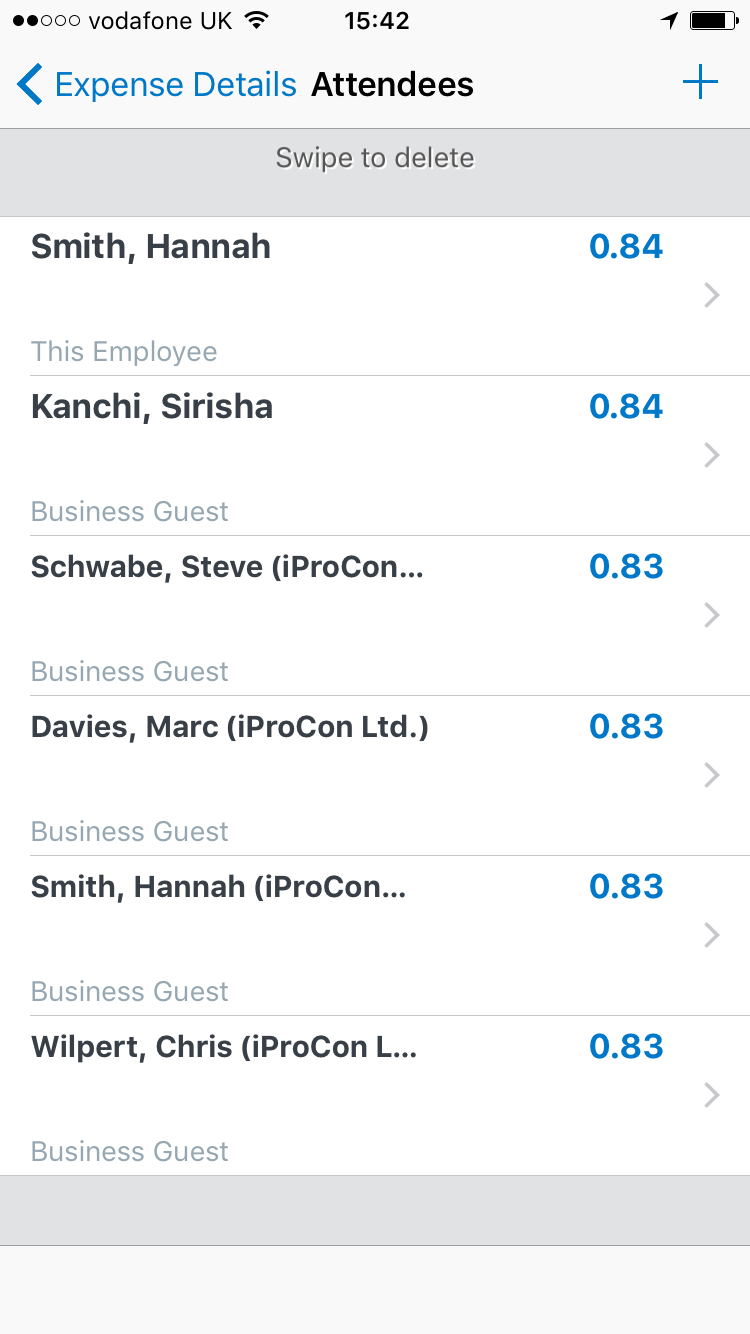
Also; just in case an invited attendee was not available for the meeting, after you have added all the meeting invites you can just individually swipe to delete any attendee that has been added to the expense.
Pending Card Transactions Payment Type
If you have card feeds into Concur, then you’ll need to be aware of the new Pending Card transaction payment type which will be delivered this month. If a traveller moves an available expense into their claim, the payment type of ‚pending card transaction‘ will be assigned to the expense as long as there is no matching card transaction yet. When the matching card transaction is loaded into Concur, the transaction will then match to the expense and update the payment type on the expense. Until the matching card transaction is loaded into Concur, the traveller cannot submit their expense claim with any expense assigned this payment type. As this configuration is delivered as active, you should ensure to update any of your user documentation so as to not cause any confusion for your employees with this new payment type. It is a great little control feature of Concur; ensuring that expense claims are submitted with all the information required but it is sure to cause problems for users who need to double check the payment type when submitting their expense claims.
New Train Enhancements across DB, SCNF and TrainLine
Train tickets are complicated at the best of times; to try to make sure that you are booking the best deal, the different fare options, possible ticket combinations…. Concur have released a slew of different enhancements for train travel across Europe. Generally the information on the train schedule and details screen have been enhanced, showing more information to users about the travel and a clearer look to it. Even small improvements such as the detail that the traveller can now see when booking train travel where they might have to change trains. The travel wizard has a clear note when and where you need to either change train, or indicator walk from one station to another including to suggested walking time to help your travellers plan the journeys better.
A new release coming in July for the UK is a new filter for fare options to return single, return or lowest price options for Train travel. For that offsite meeting at the office two towns over, a return ticket is often the easiest and best priced option. But once you start getting into longer journeys the best priced options usually include advance tickets, or a combinations of tickets; which can be difficult for a traveller to work out. A new filter in Concur, which will also be the new default return value for searches, will help your travellers plan the most cost effective journeys when using the train. Into Europe, the fare matrix views for DB and SCNF have both been updated to show more information about fare class options and the price differences when shopping for their train tickets.
And finally in this Junes‘ updates, there is a new report available in Intelligence reporting, to report details of all your cost object approvers. The new report is in the Administration folder in reporting, and reports all the cost object approvers for either Expense, Invoice or Request including showing details of their approval levels. There is so much data in Concur that can be used to report just about anything, and so it is nice to see some new basic reports provided as standard.
To take a look at some of the other UI enhancements released this month, check out our post here and if you want to have a chat about how Concur can make T&E fun, get in touch with us here.

