

The so called „collective search help PREM is used in most SAP HR transactions, where an individual employee needs to be selected. PREM comprises a number of search helps (e.g. by name, by organisational assignment, by SAP username,…) and some of them include the date of birth (DoB). Many customers don’t like this, because they consider the DoB to be sensitive information not to be shared with everybody, who happens to enter a personnel number into some field in the system.
The concept of collective search helps in SAP allows you to control, what’s available for searching. E.g. for some customers we have replaced the normal search help by name (which includes DoB) by a custom search help without DoB (see screenshot). 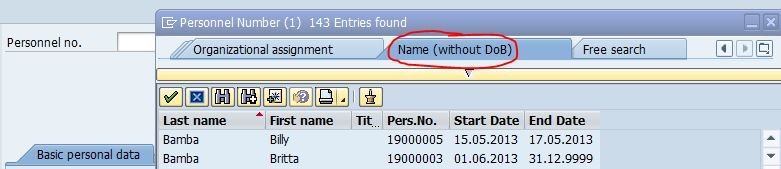 This has been achieved by using the BAdI HRPAD00_PREM. When you check it out in transaction SE18, you will find a sample coding, which makes it easy for you to implement your own custom logic: Goto > Sample Code – Display.
You can integrate a custom search help for personnel numbers into SAP HR search help PREM in transaction SE11: Select search help PREM and then follow the menu path Goto – Append search help. Then click „create“ and capture a name and description for your append. Then add your custom search help under „included search helps“. This is how our amended search help shown in the screenshot above has been integrated.
For further details, refer to SAP Note 537338.

