

In the last SF Release Update article we talked about the basics of the quarterly update process of SuccessFactors. In this article I want to talk a bit more about tools, tips and tricks. I will introduce you to the basic tools to monitor the upgrade process via Support Launchpad. This will let you know everything you need about the Upgrade Center in SuccessFactors and follow up with some nice tips and other places where updates take place and how you can check them.

Basic Tools to monitor Updates in SuccessFactors
There are some basic tools to monitor updates and the online status in general of SuccessFactors. These should be well known, but just in case I will shortly mention them here again: I am talking about the Support Launchpad. This is the place where you monitor updates, scheduled updates and most important write Tickets to SAP / SuccessFactors if you have any kind of problems with your System, but lets jump straight to the important tools…
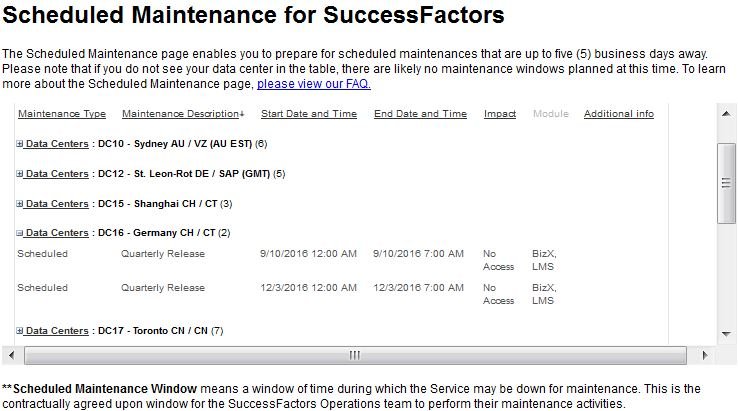
Scheduled Maintenance for SuccessFactors
Even if you know the dates for the quarterly updates, you don’t know the exact time. There are maybe also some updates which are not shown yet in the customer community. The best place to double check or have a closer look at the scheduled Maintance Updates is the Support Launchpad. Note: There are four different kind of Updates / Maintenance:
- Quarterly Release
- Infrastructure Maintenance
- Database Maintenance
- Application Maintenance
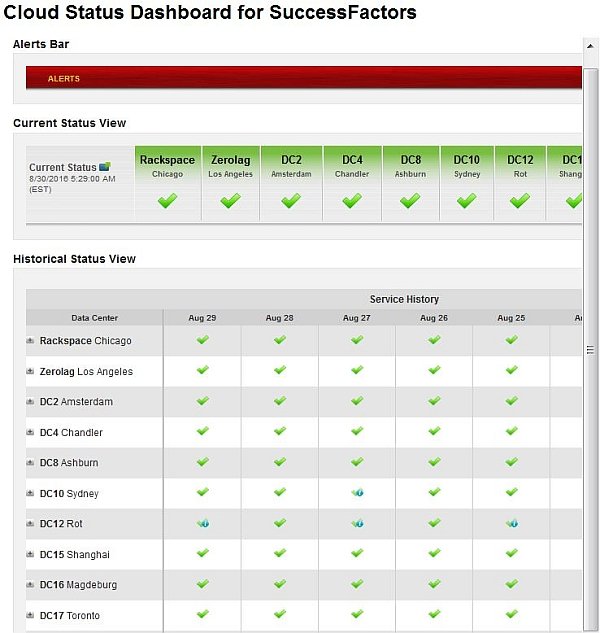
Cloud Status Dashboard for SuccessFactors
The Cloud Status Dashboard shows the current status for each Data Center. So you can check at any time if there is a known problem or even check for the past days (up to 1 month of history) if there were any issues. If you hover over one of the checkboxes you can see which service was restored. It is the first place I check if I have any issues with an Instance. There are also some e-mails coming, but first of all it will be shown at this place if there are any issues.
Get Informed by your Implementation Partner
Implementation Partners will have separate webinars and get their information from Jam (Link for the JAM Group), which SAP uses internally as well for their employees. A second source is the SAP Help Portal; I didn’t mention this in the previous article. I don’t want to get too deep into the topic of how implementation partners should update themselves to new updates, but hopefully they do and you should take benefit of that.
If you implement a SuccessFactors module your partner will inform you about recent updates and can tell you where the journey goes (as long as SuccessFactors is fine telling and publishing it; see the Road Map). As they continuously work on their module they have to inform themselves about every Release update. They also will be informed before customers will. If you have a good relationship with your Implementation partner let them help you understand new features.
This doesn’t just need to be during the implementation project. The life starts after the system is live! The advantage for working together with your implementation partner is also that they know your system. They worked together with you to find the best solution. Not all partners offer a continuous support service after Go-Live. We do and we highly recommend customers to do so. Certainly with the Service level you want and need. If you have internal Key User or IT Admins to train or keep track of all new things than you are well prepared and ready to go.
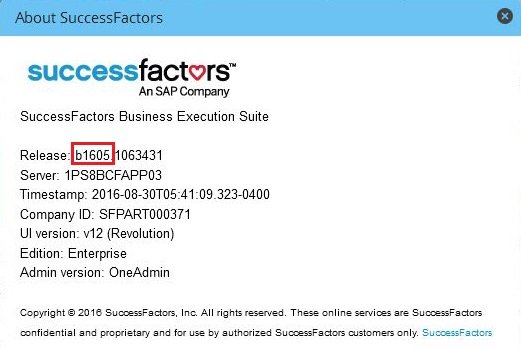
How I can see on which SuccessFactors version I am?
On each site in SuccessFactors is a footer with a link “Show version information”. The release version you are on at the moment is the number after the first letter. If there is written a “b1605.1051471“ for example your version is „1605“ which means May 2015. As there are 4 Release Updates a year most people talk about 1605 or Q2.
How to do updates in SuccessFactors
You’ve been talking all the time about Release Updates but never actually seen where the stuff really happens? You will find the Upgrade Center on the top right under the Admin Center (Note: in Admin Next Generation you have it right in the middle of your screen). Before I go to explain the tree categories of Updates note that you should always test new functionalities, features, enhancements or changes in your Test Instance.
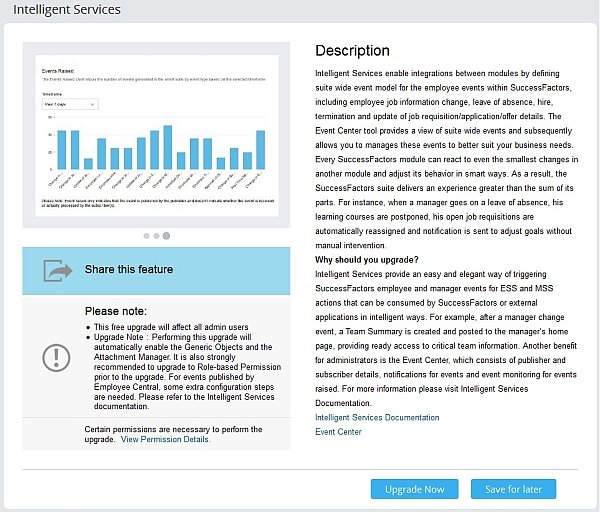
With the link to “Read more” (See Picture below) you can inform yourself about details of this update.
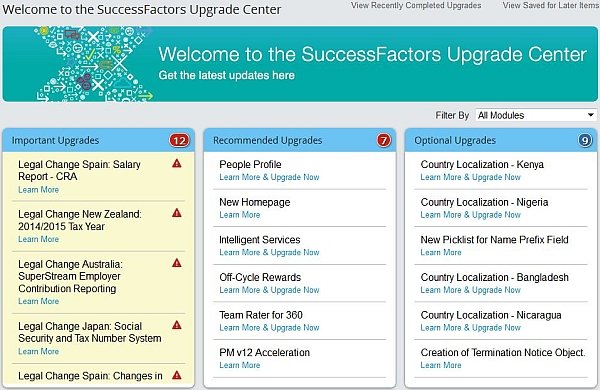
Important Upgrades are mostly legal changes (most of them in Reporting). But there also can be updates in form of new features. The majority of this updates are Universal.
Recommended Upgrades are not only new features, but major enhancements. These are probably the biggest things from release updates. Some of these features are mandatory to use future features and functionalities.
Optional Upgrades goes along with admin opt-in features. Next to some new Country Localization you find smaller enhancements or features.
Some Updates requires contacting SuccessFactors to activate a feature. Other Updates need some Configuration Steps. In the Update Overview of a Single Updates you can find information like (example Picture see below):
- Sample Pictures or Video
- Share this feature
- Important Notes (who is affected by this change)
- Prerequisite Feature(s)
- Description
- Sometimes further Information Links
Tip: In the Upgrade Center you will find “View Recently Completed Upgrades”. There are all Updates listed you installed in the past. You can undo every Install for the past 30 days. That can be ncessary sometimes… You also see when an update was installed and who did so. A very important tool for admins.
SuccessFactors Success Store
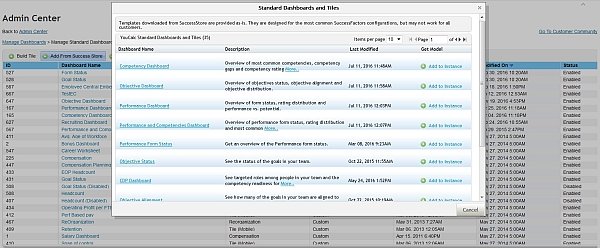
Another Tool you should have a look at is the SuccessFactors Success Store. SuccessFactors deliver several pre-content in most modules. Some of them will be updated regularly. These include the Dashboards. You may use them or not, but it’s worth to review the Success Store for new Dashboards or if they updated an old one.
The access path:
Admin Center > Reporting > Manage Dashboards > Manage Standard Dashboards and YouCalc Files > Add From Success Store (See Screenshot below)
Add-On Tip: Market Place for Extensions
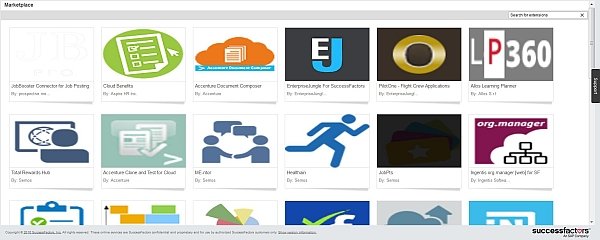
This topic (Hana Cloud Platform Extensions – HCP) is normally worth an entire article. So I just want to add it here as a tip. Partners can build their own Extension and offer it on a Market Place in SuccessFactors. It can be installed like an update and uses resources of your Instance. Before you search for 3rd Party tools or solutions it make sense to have a look at these Extensions. Most of them will be updated regularly and there is more to come every year!
Access path: Admin Center > Company Settings > Extensions
Learn more about SuccessFactors Release Updates
Some great tips and tricks about Release Updates are described in the article above. If you want to learn more have a look at the following parts of the series.
- SuccessFactors Release Updates – How to keep track
- SuccessFactors Release Updates – Tools, Tips & Tricks
- SuccessFactors Release Updates – Delta Content Exams for Partner

