

Many customers would like to see special fields, like project IDs, on trips booked via Concur. It’s actually quite simple to achieve that with standard configuration options.
So, let’s assume we want travellers to capture a project ID every time they make a booking. You need to go into the Travel Admin section to add the new field. Pick „Manage Custom Fields“ in the left hand side menu and then click the button „New Trip Field“.
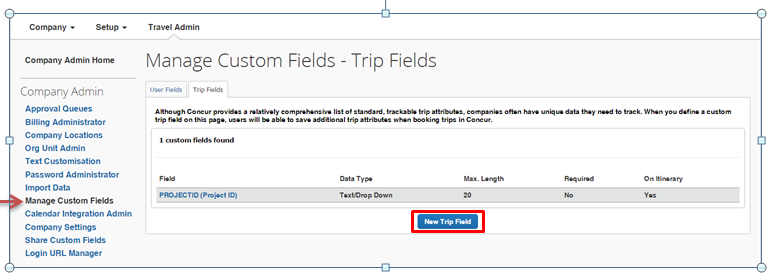
We’ll not go into the detail of how to configure the field itself, as it’s quite intuitive. You can decide under which circumstances the field is to be captured, where it is displayed and, what type of field it is amongst other things. We decided that:
- the field is to be captured by everybody for every trip booking, but is not mandatory.
- the project ID captured is also shown on the itinerary.
- the field is a drop-down field with a custom value list.
So, when booking my next trip, this screen comes up:
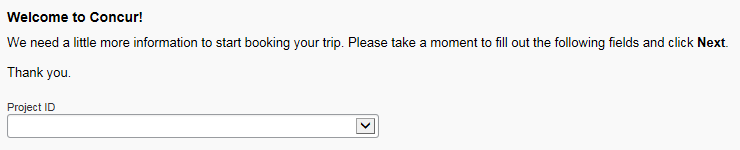
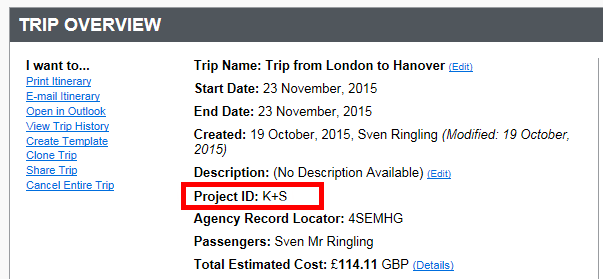
Once that’s done, I proceed with my normal booking process and in the end, the field does indeed show up on my itinerary:
We hope you’ll enjoy your trip!

